
CPT Advertising: Cost Per Task Campaigns for Websites and Apps
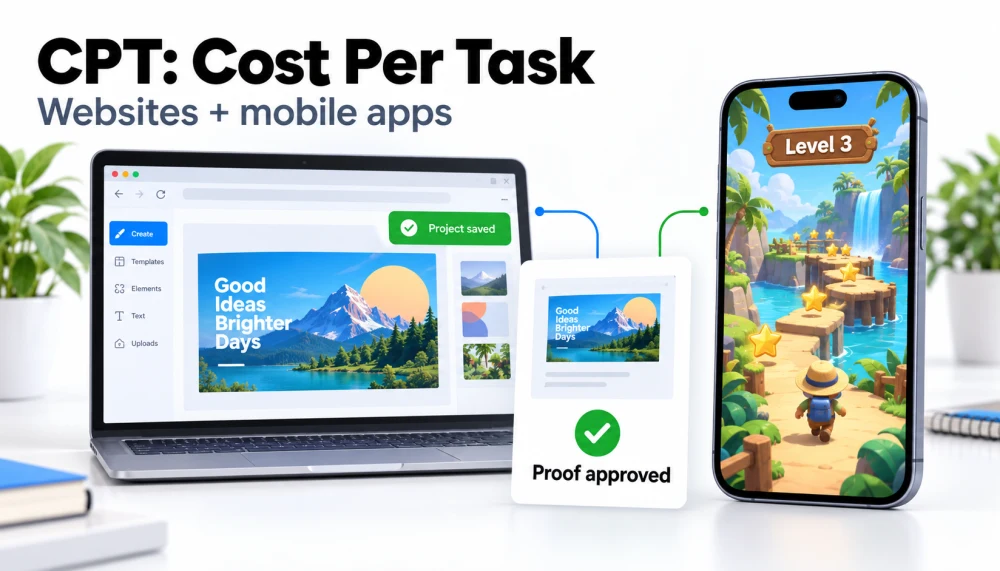
A design tool shows its value when someone saves a first project. A learning website makes a stronger impression when a visitor finishes a lesson. A mobile game gives players a reason to keep exploring when they reach their first milestone.
CPT advertising lets you build a campaign around those moments. With CPAlead's Cost Per Task campaigns, you choose the website or app activity, set a price for each task, and have screenshot proof checked by CPAlead. Your advertising goal becomes a clear next step that people can complete inside your product.
- Websites and mobile apps: Create campaigns for a website, Android app, or iOS app.
- One task or several milestones: Set up to 10 tasks with an individual price for each.
- Prices from $0.15 per task: Choose the advertiser price for each approved activity.
What is CPT advertising?
CPT stands for Cost Per Task. It is CPAlead's campaign format for promoting website and app usage through clearly defined activities. A participant follows your instructions, completes a task in your product, and uploads a screenshot showing the result.
Each milestone has its own instructions, completion criteria, example screenshot, and advertiser price. CPAlead uses AI-assisted screenshot review and fraud checks to assess the submitted proof. Approved tasks can then be credited through the normal reward process.
For advertisers exploring rewarded user acquisition, app engagement campaigns, or website engagement campaigns, CPT offers a practical way to make product use the center of the offer.
Give people a clear reason to try your product
Think about the first activity you would show someone in a product demo. It might be saving a design, finishing a tutorial, or completing a short lesson. A task campaign invites participants to experience that activity for themselves.
- Introduce a useful feature. Write instructions that bring participants to the part of your product you want them to experience.
- Make your goal specific. Define a visible result, such as a saved project or completed level, so participants know what to do.
- Match your spend to the activity. Give a short introductory task one price and a later milestone a different price.
- Use a familiar setup across products. The same task-and-proof workflow supports both websites and mobile apps.
Four CPT campaign ideas for websites and apps
Start with an activity that helps someone understand your product and produces a clear completion screen. These examples show how different advertisers can turn everyday product features into task offers.
| Your product | Your task | The screenshot shows |
|---|---|---|
| Website editor or design tool | Create and save a first project. | The project name and saved result. |
| Learning website | Finish an introductory lesson. | The lesson name and completed status. |
| Mobile app | Complete the starting tutorial. | The tutorial completion screen. |
| Mobile game | Finish the tutorial, then reach level 3. | Separate proof for each milestone. |
CPAlead includes editable templates for all four examples. Preview a template, adapt the steps to your product, add your own completion screenshots, and set your prices. You can also write a custom task from the beginning.
How a CPT campaign works
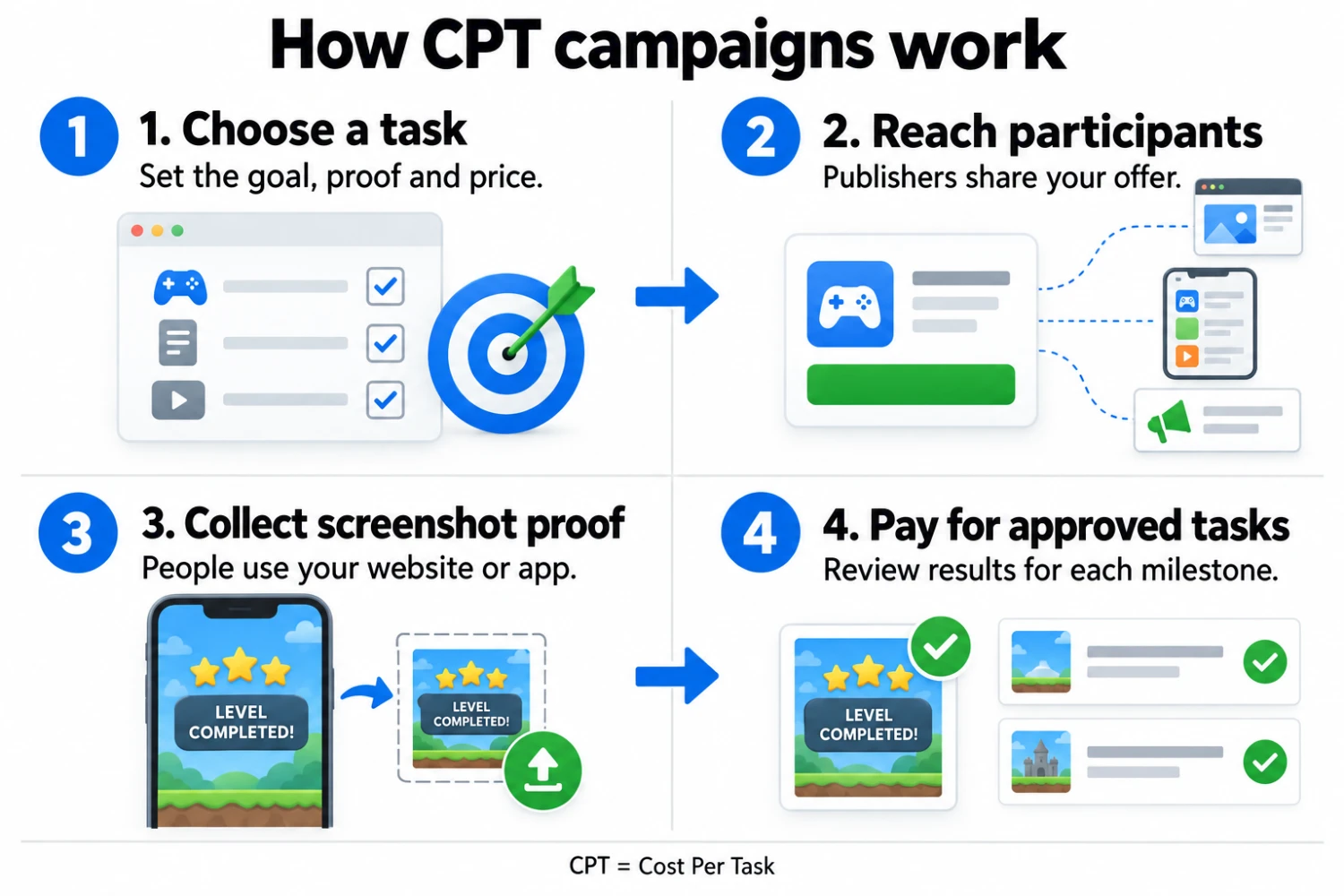
- You define the activity. Choose the product, explain the steps, show an example of the result, and set a price for each task.
- Publishers introduce the offer. CPT offers can reach participants through publisher offerwalls, link lockers, the publisher offers API, and direct promotion.
- Participants use your product. They follow the instructions, complete the activity, and return to My Tasks to upload their screenshot.
- Proof is reviewed and results are recorded. Approved tasks move through reward confirmation, and your task report shows the current outcomes.
Publishers connect the offer with their audiences. The people they refer complete the tasks. Participants have a central My Tasks page for instructions, uploads, and progress, helping them return to an offer with several milestones.
Screenshot proof makes campaign setup practical
CPT uses screenshot submissions as its completion evidence. You do not need an advertiser conversion postback or an MMP event integration to verify CPT tasks. This gives teams a way to promote a visible product activity through the advertiser dashboard.
Your instructions tell people how to find the website or app by name and what to do when they arrive. Participants open the product themselves and return to CPAlead to submit proof. The publisher's offer link leads to the task instructions, while CPAlead keeps the referring publisher connected to the activity.
This is a rewarded engagement campaign: the offer gives participants an incentive to try a specific activity. Choose a task that introduces something useful, then use your product's own analytics to understand what people do after that first experience.
Set a separate price for each milestone
Advertiser prices start at $0.15 per task. You can set a higher amount for an activity that takes more time or matters more to your campaign. A single offer can contain several separately priced tasks.
Example: a two-task mobile game campaign
- Task 1: Complete the tutorial — advertiser price: $0.15.
- Task 2: Reach level 3 — advertiser price: $0.35.
- Both tasks approved and credited: $0.50 in task charges per participant.
These are illustrative advertiser prices. Each task has its own screenshot criteria and is credited separately, so your report can show the results for the tutorial and level 3 individually.
See which tasks people complete
The advertiser Task report shows participation, submitted proof, credited tasks, completion rates, rejection rates, and credited costs for each milestone. Filter by campaign and the dates participants started to compare the activities in your offer.
For a game campaign, that might mean comparing tutorial completion with progress to level 3. For a website, it could mean reviewing how many participants submitted a saved project. The report gives you specific results to use when planning your next campaign.
Start your first CPT campaign on CPAlead
- Open the advertiser campaign creator and choose CPT — Cost Per Task.
- Select your website, Android app, or iOS app, then preview a template or create your own task.
- Add clear instructions, completion criteria, and a real example screenshot for every milestone.
- Set your task prices, countries, completion time, and daily participant limit.
- Submit the campaign for review, then follow its results from your advertiser account.
A useful first campaign can be one task with an obvious finish: save a project, complete a lesson, or finish a tutorial. Start with the product experience you want to introduce and build the offer around that result.
CPT advertising questions
Can I use CPT for a website?
Yes. CPT supports website activities as well as Android and iOS apps. Saved projects and completed lessons are useful examples of website tasks with visible results that participants can capture in a screenshot.
How does CPT compare with CPI and CPA?
CPI focuses on app installs, while CPA uses a defined conversion action. CPAlead's CPT format organizes website or app usage into tasks and uses screenshot proof to assess completion. Choose the format that fits the activity you want to measure.
Can one offer include several paid tasks?
Yes. A CPT campaign can have up to 10 ordered tasks, each with its own advertiser price and screenshot requirements. That lets you create an introductory task and later milestones within the same offer.
How much does CPT advertising cost?
The minimum advertiser price is $0.15 per task. You choose the amount for each milestone, and the Task report shows credited costs. Set prices that reflect the activity and the time you are asking participants to spend.
Make your next campaign a product experience
Give people a clear activity, a useful feature to explore, and a reason to take the next step. CPT brings website and app tasks, screenshot review, publisher distribution, and milestone reporting into one advertiser workflow.
Create your CPT campaign in your advertiser account. New to CPAlead? Create an advertiser account or explore advertising on CPAlead.
Noticed an error or an aspect of this post that requires correction? Please provide the post link and reach out to us. We appreciate your feedback and will address the issue promptly.